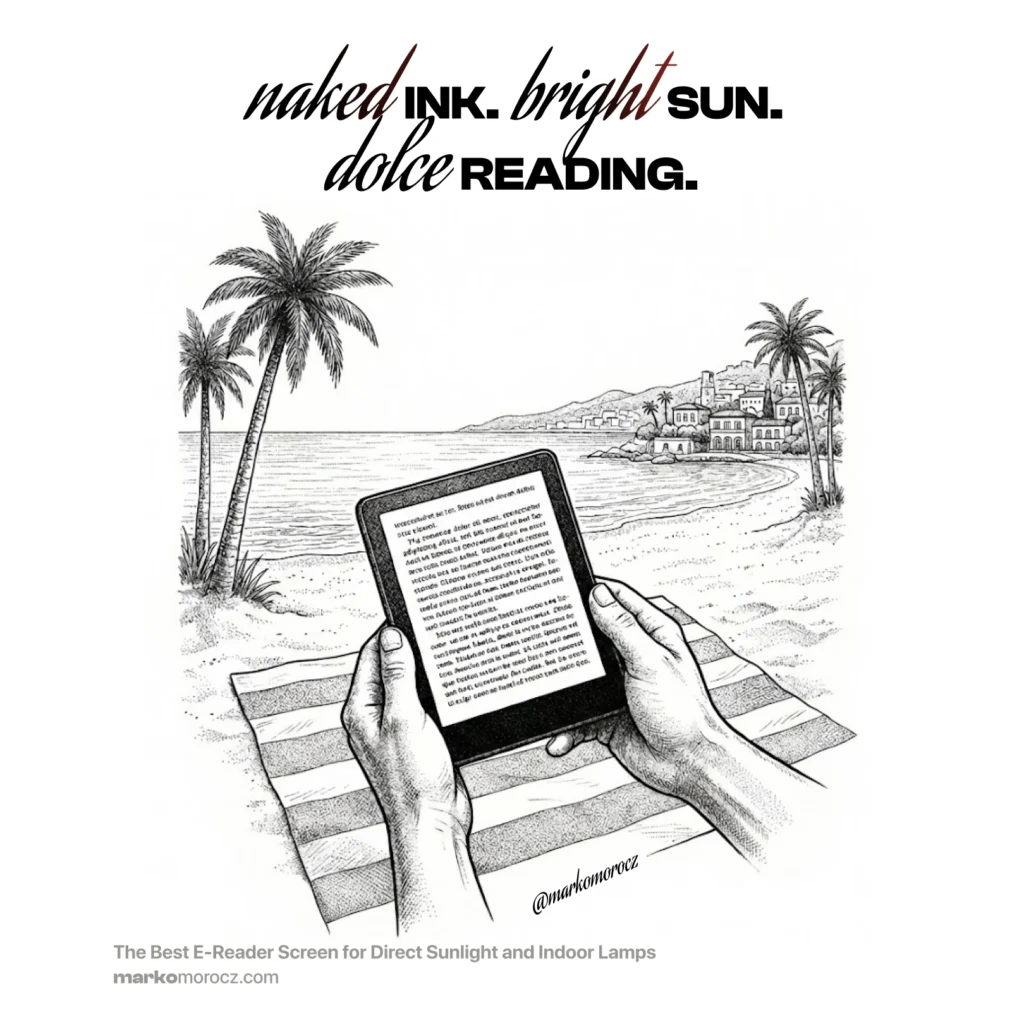
The Best E-Reader Screen for Direct Sunlight and Indoor Lamps
Most Kindle reviews test the wrong thing.
They test lighting scores. Flush-front design. Waterproofing. Warm light modes. Blue light filtering settings. Inverted colour displays. Features that make marketing slides look impressive. Features that have almost nothing to do with what you actually care about when you’re reading for three hours under a bright lamp or outside in afternoon sun.
The question that actually matters: which device puts the sharpest, most contrasted, most physically present text in front of your eyes?
I’ve spent an embarrassing amount of time finding out. Multiple Kindle units from 2011 to today. Paperwhites. Basics. Voyage. A Kindle 3 for text-to-speech (TTS). An X-Tink X4. This is either an obsession or a research project. Probably both. Here’s what I’ve learned.
Why Most People Buy The Wrong Kindle
The Kindle product line has quietly split into two philosophies over the past decade, and nobody talks about this clearly.
Philosophy one: make it look like a premium tablet. Flush glass front, waterproof seal, uniform bezels. The Paperwhite 4 is the pinnacle of this approach. It looks incredible on a shelf. It photographs beautifully for Amazon product pages.
Philosophy two: get out of the way of the ink. No glass. No capacitive film. No extra layers sitting between your eyes and the E-ink capsules.
Here’s the thing nobody tells you about philosophy one. Every layer you add between your eyes and the ink does something to the image. Glass diffuses light. Capacitive touch film creates a slight haze. What I’ve started calling the “skin cream” effect. Flush sealed designs require additional bonding layers that scatter ambient light before it reaches the ink.
The Paperwhite 4, which most people consider the premium choice, has two or more layers stacked on top of the ink. Under a direct indoor lamp, that creates a milky, slightly grey background. Under direct sunlight, contrast drops noticeably. It’s the anti-legend for anyone who values a crisp, white page.
The E-Ink Reality: What Layers Actually Do
E-ink displays work by moving charged black and white particles inside capsules.¹ The background isn’t generated. It’s the actual physical state of those particles. White means white particles are on top. That gives E-ink its characteristic “paper feel.”
But that paper feel degrades the moment you put layers in front of it. The physics is simple. Every additional surface creates internal reflections, scatters ambient light, and reduces apparent contrast.² Even a single glass layer, which is optically better than plastic, still introduces some diffusion. Multiple layers compound the problem.
This is why older Kindles with no front layers look different from newer ones. They’re not imagining it. The physics is real.
The Kindle 8: The Stealth Legend
The Kindle 8 (2016) uses infrared touch detection. This is the key.
Infrared touch works by projecting a grid of invisible light beams across the screen surface. Your finger interrupts the beam. The device detects where.³ No physical layer needs to sit on top of the screen to do this.
Compare that to capacitive touch. This is what every modern premium Kindle uses. Capacitive touch requires a conductive film integrated into the screen stack. That film is always there, between your eyes and the ink, creating the skin cream haze.
The Kindle 8 has no such film. Zero layers over the ink capsules. The result is what I can only describe as the “brightest white” background I’ve found on any modern E-reader. Not because it generates more light, but because nothing is diffusing or yellowing the white particles underneath.
It also runs modern Amazon software. This matters more than people realise. My Kindle 5 units from 2011 and 2012, the D01100, which have the same zero-layer screen purity, are actually reasonably fast, particularly the black versions. Amazon produced two panel variants: the graphite black model used an improved E-ink panel with faster page turns and deeper blacks, while the grey model runs a noticeably slower, greyer panel.
Both are still software-limited compared to the Kindle 8. No Amazon Ember font, no variable boldness settings, no vocabulary builder. This is where the Kindle 5 falls short despite its screen purity.
The Kindle 8 gives you the same screen purity with actual speed and modern features. Amazon Ember. Bold 2 at Size 9, which happens to be the sweet spot for 167 PPI, giving the letters enough weight that they look physically printed against that pure white background. Vocabulary builder. Snappy navigation. Way faster than a Paperwhite 4.
Bold 2 on the Paperwhite 4 looks smudgy. The diffusion layers blur the edges of the bold strokes. Bold 2 on the Kindle 8 is sharp, high-contrast, punchy. Because there’s nothing in the way. The ink is just ink against paper-white.
This is the device I use at home. Under my reading lamp, no backlight, external 90° USB-C light if I need illumination, this is the closest thing I’ve found to reading a physical book with well-printed ink.
The Voyage: The Best Backlit Kindle Ever Made
If you need a backlight, and sometimes you do, the answer is the Kindle Voyage.
Every backlit Kindle compromises the screen to achieve the lighting. Building a front-light system requires either frosted glass or a dedicated diffuser layer to spread the LEDs evenly across the surface. Both options add haze. The Paperwhite achieves even illumination at the cost of clarity. The standard Kindle achieves illumination at the cost of both clarity and build quality.
The Voyage did something different. Amazon used micro-etched glass. A textured glass surface that scatters both external glare and internal LED light simultaneously without the diffusion being visible as haze.⁴ The etch is fine enough that you don’t perceive the texture consciously, but coarse enough to do optical work that smooth glass cannot. The result is the closest any backlit Kindle has ever come to the contrast and crispness of an unlit device.
It also runs at 300 PPI, which matters when you’re comparing to the Kindle 8’s 167 PPI. Sharper text with micro-etched glass and a backlight built properly. This is the Voyage’s edge.
Voyage for reading with a backlight. Kindle 8 for reading without one.
The X-Tink X4: The Pocket Device
The X-Tink X4 is not a Kindle alternative. It’s a different philosophy entirely, and that’s exactly why it earns a place in the stack.
It runs on an ESP32 microcontroller, not Android. No touchscreen. No app ecosystem. Navigation is physical buttons only. Format support is limited to EPUB and TXT out of the box. By every conventional spec comparison, it loses to everything else on this list.
And yet the screen argument is interesting. At 220 PPI on a 4.3-inch display with a single glass layer and no backlight. Remember? No backlight means no diffuser layer in the stack, which is the primary source of haze on every other glass-layer device. It sits genuinely above the backlit Kindles on the purity ranking despite the lower pixel count. The glass layer introduces some minimal skin cream effect that the Kindle 8 doesn’t have, but the absence of a backlight diffuser keeps it cleaner than any front-lit device at the same layer count.
The real argument for it is size and portability. At 74 grams and 5.9mm thin it fits in a jacket pocket without thinking about it. The Kindle 8 doesn’t. For commuting, travel, or any situation where you want a book in your pocket rather than a bag, nothing touches it. The reading experience is deliberately minimal. No store, no recommendations, no distractions. You load books via microSD or WiFi transfer and read.
It’s also worth noting the third-party CrossPoint firmware project, which adds larger font options, better formatting, and improved format support for those willing to tinker. Out of the box it’s barebones. With custom firmware it becomes genuinely capable for a device this small.
The Hierarchy: Honest Rankings for Direct Sunlight and Lamp Reading
For the specific use case of maximum contrast and purity in bright conditions, here is where the devices actually land.
Zero-layer devices (best screen purity)
The Kindle 8 wins. Zero-layer IR touch, modern software, Bold 1-3 slider, vocabulary builder, and the smallest body of any device in this category. The Kindle 7 shares the same screen construction but the software ceiling is real: no boldness control, no vocabulary builder, significantly larger. The Kindle 5 has a pure screen too but drops IR entirely. The Kindle 8 is the only device that combines the naked ink philosophy with everything modern software should offer.
Single glass layer, no backlight (excellent purity)
The X-Tink X4 occupies a unique position here. One glass layer introduces minimal skin cream effect, but no backlight means no diffuser in the stack keeping it cleaner than any front-lit device at the same layer count. At 220 PPI it’s sharper than the Kindle 8 despite the slight purity trade-off.
Single glass layer, backlit (excellent, with compromise)
The Voyage leads here because of the micro-etch. The Oasis 2 and 3 use similar construction without the micro-etch and perform well.
Single film or plastic layer (good, notable haze)
The Kindle 11 uses a film layer rather than glass. Speed is excellent but clarity drops compared to glass-layer devices. The Paperwhite 3 uses plastic, which adds more diffusion than glass but less than the Paperwhite 4’s multi-layer stack.
Multi-layer devices (the creamer tier)
The Paperwhite 4 represents this category. Flush-front waterproof design required additional bonding layers. The result is the milky, slightly grey background that improves under the built-in light but never matches the contrast of simpler constructions. Under direct sunlight it’s noticeably worse than everything above it.
Device Longevity: Which One Actually Lasts
Screen quality is one thing. Whether the device is still usable in five years is another.
The Kindle 8 wins here too, and for the same reason it wins on screen purity: simplicity. It’s a basic plastic shell with no rubber coating, no soft-touch finish, no premium material that ages badly. Rubber and soft-touch coatings go sticky over time. Especially with heat and skin contact. Anyone who’s owned a device that turned into a tacky mess two years in knows how unusable that becomes. The Kindle 8 has none of that. Plain plastic. It will look exactly the same in a decade as it does now.
The Voyage is more interesting. Amazon applied a coating to the back that can wear with heavy use. The surface finish isn’t as robust as it looks. But underneath that coating is a magnesium alloy chassis, which is what actually matters for structural integrity. Magnesium doesn’t flex, doesn’t crack, and doesn’t corrode under normal conditions. If the coating wears, you’re left with a bare magnesium back, which is honestly fine. The device stays rigid and functional. Premium material with a surface finish that’s cosmetic rather than structural.
The Paperwhite 4’s flush glass front is the genuine long-term vulnerability. Glass bonds to plastic housings with adhesive. Over years, thermal cycling degrades that bond. The waterproof seal around the edges is a single point of failure. Once it goes, the waterproofing goes with it. A device engineered around waterproofing has more places to fail than a device that was never trying to be waterproof.
At a Glance: Ranked by Screen Purity
| Device | Legend Status | Screen Purity | Skin Cream Effect | Touch | PPI | Backlight | Build Longevity |
|---|---|---|---|---|---|---|---|
| Kindle 8 | Stealth Legend | ★★★★★ Zero layers | None | Infrared touch | 167 | No | Excellent (plain plastic) |
| X-Tink X4 | New King | ★★★★☆ 1 layer (glass) | Minimal | Physical buttons | 220 | No | Good |
| Kindle Voyage | GOAT | ★★★★☆ 1 layer (micro-etched glass) | Minimal | Capacitive | 300 | Yes | Very good (magnesium chassis) |
| Oasis 2/3 | Premium | ★★★☆☆ 1 layer (glass) | Low | Capacitive | 300 | Yes | Good |
| Paperwhite 4 | Creamer | ★★☆☆☆ 2+ layers | High — milky background | Capacitive | 300 | Yes | Fair (adhesive risk) |
Kindle 5 (D01100, aka OG Pure) has the same zero-layer purity. Nothing over the ink, same white background. But no Ember. No boldness control. No modern software. Identical screen construction, but inferior text rendering in practice.
Kindle 8 wins on background purity—zero layers, nothing between your eyes and the ink. X-Tink X4 ranks second. No backlight means no diffuser layer in the screen stack, and at 220 PPI it sits comfortably above the Kindle 8’s 167 PPI despite the single glass layer. Voyage leads all backlit devices thanks to micro-etched glass, the most honest engineering Amazon ever applied to a front-lit screen.
The Bottom Line
The best screen on an E-reader isn’t the most expensive one. It isn’t the most feature-rich one. It’s the one that puts the least between your eyes and the ink.
In direct sunlight: the Kindle 8 wins. Zero layers, no haze, no skin cream effect, no diffusion. Just ink and white particles doing their job without interference. Modern software makes it actually pleasant to use rather than a museum piece.
With backlight required: the Voyage wins. Micro-etched glass is the smartest optical engineering Amazon ever put into an E-reader, and they quietly discontinued the line without ever building on what they learned. That’s a separate conversation.
For pocket carry: the X-Tink X4 takes the slot. At 74 grams and 5.9mm thin, it fits in a jacket pocket, has no backlight to compromise the screen stack, and does one thing well. Puts text in front of you wherever you are.
The Paperwhites looks great in marketing photography. In your hands, under a lamp, reading for hours, you’ll notice the haze. Once you’ve seen what a zero-layer screen looks like, going back is difficult.
I’ve spent too much time learning this and experimenting under lamps as well as the sun. Now you don’t have to.
Screen purity is only half the equation. The other half is what light does to your biology. Read part two: Why I Turned Off My Kindle’s Backlight.
References
- E Ink Holdings. “How E Ink Technology Works.” E Ink Corporation Technical Documentation, 2023.
- Hecht, E. Optics, 5th ed. Pearson, 2015. Chapter 5: Geometrical Optics and Diffusion.
- Optical Touch Technology Overview. SID (Society for Information Display) Symposium Digest of Technical Papers, 2014.
- Amazon. “Kindle Voyage User Guide and Technical Specifications.” Amazon Device Support, 2014.
What’s your favorite e-reader?