Why I Turned Off My Kindle’s Backlight
Most people optimising their evening routine are focused on the wrong screen.
They’re putting their phone in greyscale. Installing f.lux on their laptop. Buying amber bulbs. All sensible moves. Then they pick up their Kindle Paperwhite, toggle the warm light setting to maximum amber, and feel like they’ve handled the problem.
They haven’t. The research is clear on why.
This is the case for reading without a backlight. And how I’ve built my evening reading setup around it.
The Problem With “Warm Light” Mode
Every backlit E-reader on the market now offers some version of warm light. Adjustable colour temperature. Scheduled amber shifts after sunset. Automatic brightness reduction. These features exist because the manufacturers know evening light exposure is a problem. But they’re trying to solve it while keeping the backlight on.
That’s Medicine 2.0 thinking. Treat the symptom. Ignore the root cause.
The root cause is straightforward. Light in the evening suppresses melatonin production. Melatonin is the signal your brain uses to initiate sleep. Suppress it and you delay sleep onset, compress deep sleep stages, and accumulate a recovery deficit that compounds across weeks and months. 1 This isn’t contested science. The question is whether you address it upstream or downstream.
Warm light mode is downstream. You’ve accepted a backlit device as a requirement and you’re trying to mitigate the damage. The amber colour temperature reduces blue light exposure. But it doesn’t eliminate it. Light is still being emitted. Melatonin suppression still occurs, just at a reduced rate.2 The warm light Kindles are a better option than a cold white screen. They’re not a solution.
The upstream answer is no backlight at all.
Why E-Ink Without a Backlight Is Genuinely Different
This is the physics that makes E-ink interesting from a circadian biology standpoint.
An E-reader with no active backlight doesn’t emit light. It reflects ambient light. Exactly like a physical page does. Your eyes aren’t receiving a directed light source. They’re receiving reflected light from whatever is in the room, processed by the same visual system that evolved reading by candlelight and firelight for thousands of years.
This is fundamentally different from any other screen you own. An iPad at minimum brightness with Night Shift enabled is still emitting. A phone in dark mode at 10% brightness is still emitting. The Kindle Paperwhite at its warmest amber setting is still emitting. An E-reader with the backlight off is not.
The Chang et al. 2015 PNAS study compared light-emitting E-readers against non-emitting ones directly.⁷ The light-emitting device users took longer to fall asleep, had reduced melatonin levels, felt less sleepy in the evening, and reported reduced next-morning alertness. Even after eight hours of sleep. Non-emitting E-readers produced none of these effects. This isn’t theoretical. It’s the exact use case.
The Full Evening Stack
Turning the backlight off is the primary move. But ambient light source still matters.
LEDs, which is what most modern bulbs are, run cooler and emit a spectrum that’s shifted toward blue compared to incandescent bulbs.3 Reading under a standard LED in the evening is meaningfully better than a backlit screen, but it’s not optimal. Incandescent bulbs produce a light spectrum closer to firelight. The light human biology evolved under. Blue component is minimal. For evening reading, this matters.
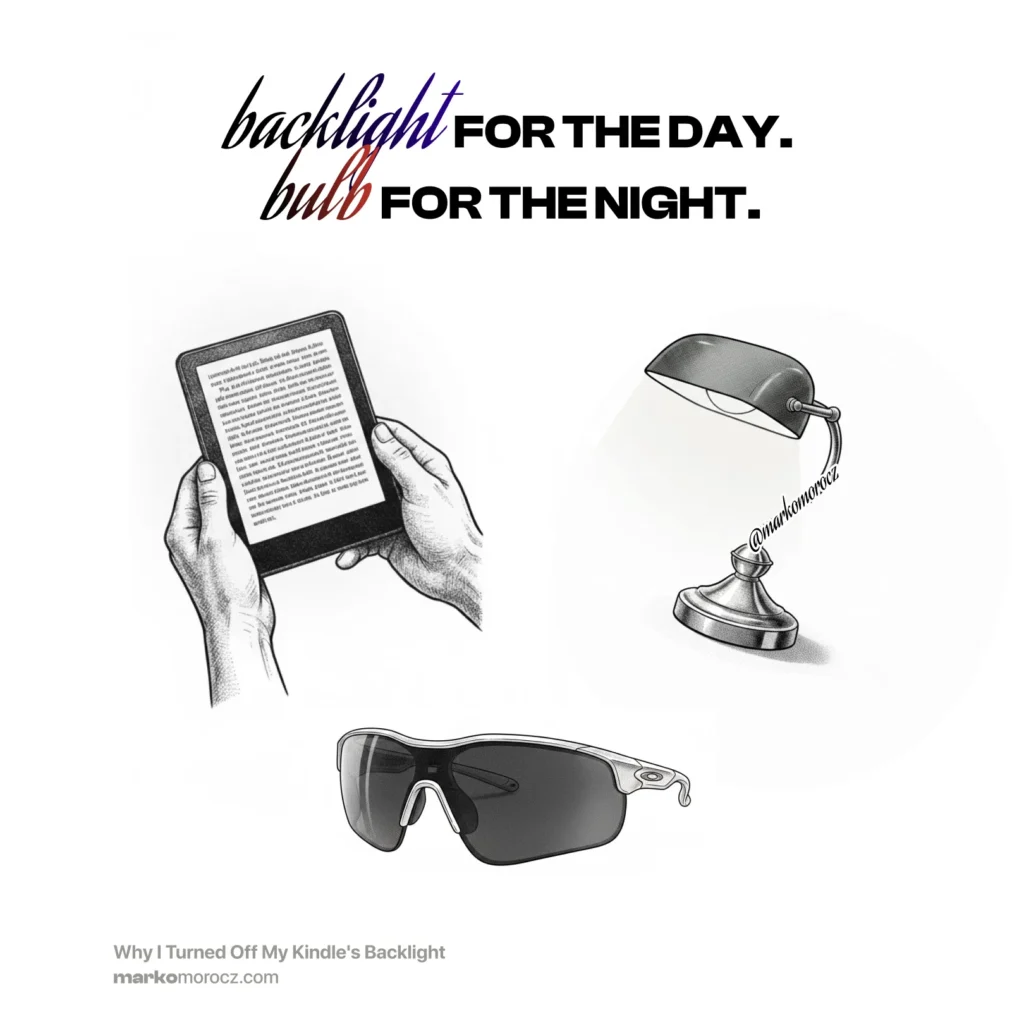
My setup: Kindle 8, backlight off, incandescent bulb, Zekler red light work glasses. The Zekler glasses are made to an industrial safety standard rather than the wellness-market spec that most “blue light glasses” are held to. They block blue and green wavelengths consistently, covering everything below roughly 550nm that drives melatonin suppression.4
The combination does almost nothing to my melatonin curve. I read at 10pm and fall asleep without fighting it. Sleep quality the following night is measurably better. I track it with Garmin.
If you need a backlit device for travel, low light situations with no lamp available go with inverted text (white text on black background). It reduces total light emission significantly compared to standard dark-on-white mode.5 Combined with minimum usable brightness, it’s the least-bad version of backlit evening reading. But it’s still worse than no backlight. The hierarchy is simple. No light beats managed light.
Why the Kindle 8 Specifically
Not every E-reader without a backlight is equal. This connects directly to screen quality.
The Kindle 8 uses infrared touch detection, which means no capacitive film layer over the ink capsules. Zero layers total between your eyes and the E-ink. The result is the purest, highest-contrast, brightest-white background of any modern E-reader I’ve tested. Honestly, I’ve tested a lot of them. Under an incandescent lamp with the backlight off, it looks closer to a physical book than anything else available.
The expensive backlit Kindles with warm light modes are solving a problem the Kindle 8 doesn’t have.
For a full breakdown of why the screen layers matter and how every major device compares including the Kindle Voyage, X-Tink X4, Paperwhite 4 and why the Paperwhite’s flush-glass design is the worst choice for screen purity. Rread part one: The Best E-Reader Screen for Direct Sunlight and Indoor Lamps.
The Practical Protocol
The full evening reading setup, in order of impact.
Turn the backlight off. This is the only move that actually eliminates emission rather than managing it. Every other optimisation is downstream of this.
Switch your reading lamp to incandescent. An incandescent bulb or a warm-spectrum bulb below 2700K produces a spectrum your circadian system recognises as evening light. LEDs don’t.
Add amber or red glasses if you want to go further. Zekler makes industrial-grade lens filters that block the melatonin-suppressing spectrum consistently. The wellness-market blue light glasses vary significantly in actual filter performance. Industrial spec is more reliable and cheaper.
If you must use a backlit device, invert the display. White text on black reduces total light emission. Combine with minimum brightness. It’s not as good as no backlight but it’s the best version of a compromised situation.
The whole setup costs less than a Paperwhite. The Kindle 8 is available second-hand for a few meals worth of price. An incandescent bulb is a few euros. The Zekler glasses are affordable workwear. You’re not optimising with expensive hardware. You’re just removing the thing that was causing the problem.
The Bottom Line
The backlight obsession in E-readers is a solution to a problem that didn’t need to exist. Amazon built warm light mode into the Paperwhite because people were using backlit screens in the evening and complaining about sleep. The answer was never a better backlight. It was no backlight.
E-ink without emission, reflected under warm incandescent light, read through a proper wavelength filter. This is as close as you get to the reading conditions human biology is calibrated for. Your sleep reflects it. Your next-day cognition reflects it. The compound effect over months is real.
The best E-reader for your health isn’t the one with the best warm light mode. It’s the one you can turn off.
Are you team backlight or no?
References
- Chang, A.M., et al. “Evening Use of Light-Emitting eReaders Negatively Affects Sleep, Circadian Timing, and Next-Morning Alertness.” PNAS, 112(4), 2015. ↩︎
- Gooley, J.J., et al. “Exposure to Room Light before Bedtime Suppresses Melatonin Onset and Shortens Melatonin Duration in Humans.” Journal of Clinical Endocrinology & Metabolism, 96(3), 2011. ↩︎
- Falchi, F., et al. “The New World Atlas of Artificial Night Sky Brightness.” Science Advances, 2(6), 2016. ↩︎
- van der Lely, S., et al. “Blue Blocker Glasses as a Countermeasure for Alerting Effects of Evening Light-Emitting Diode Screen Exposure in Male Teenagers.” Journal of Adolescent Health, 56(1), 2015. ↩︎
- Shechter, A., et al. “Blocking Nocturnal Blue Light for Insomnia: A Randomized Controlled Trial.” Journal of Psychiatric Research, 96, 2018. ↩︎